Simple Weekly Planner
A calmer way to plan your week

Plan the week
you'll actually live.

Your to-do list and your calendar, side by side. Drag a task onto a time slot and it's scheduled. No forms, no friction. Keep your habits on streak and hold the whole week in a single glance.
Free forever No credit card Your data stays yours
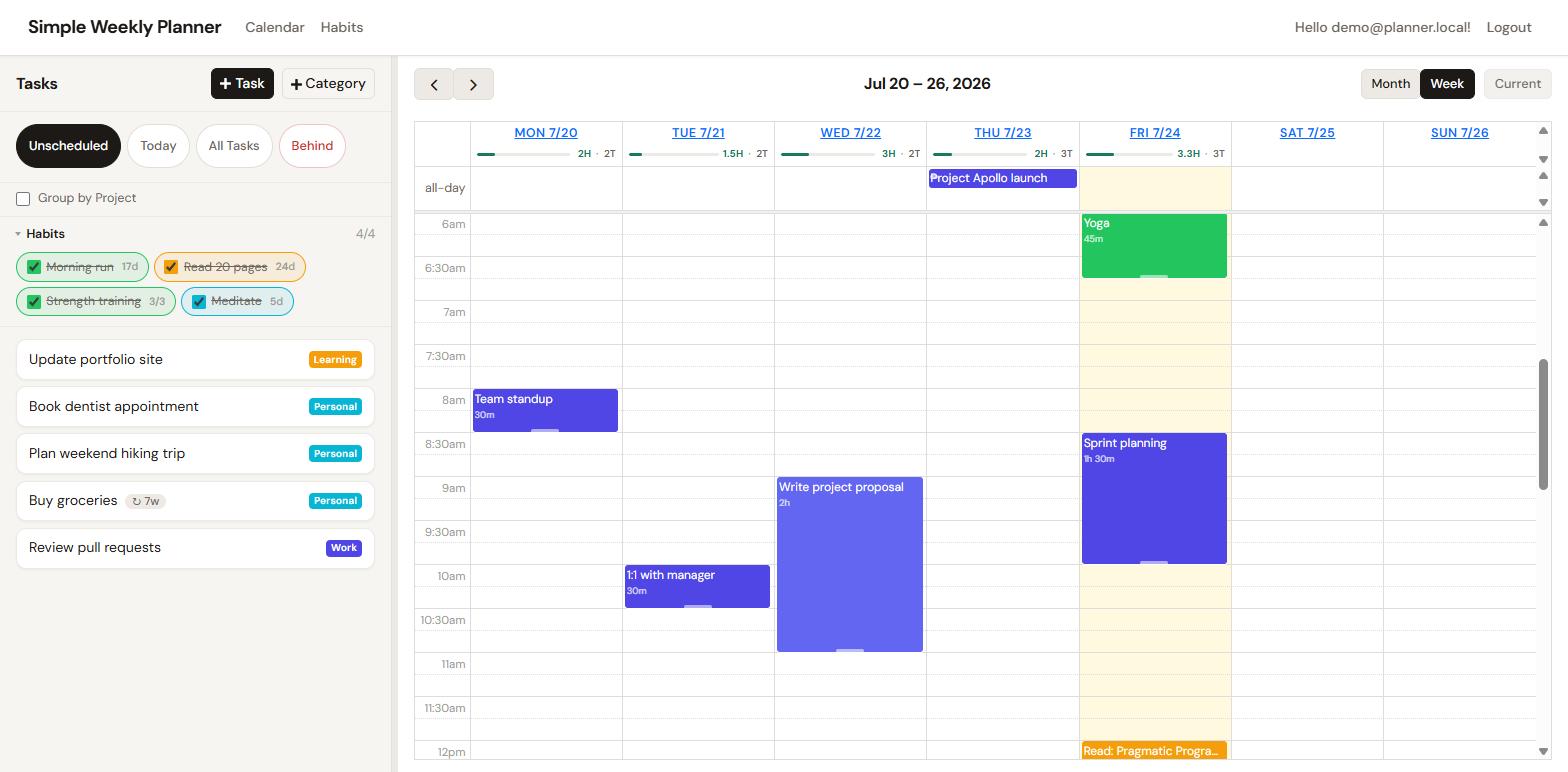
Simple Weekly Planner: your week at a glance
The Simple Weekly Planner interface: a to-do list and habit tracker on the left, a colour-coded weekly calendar on the right.
Dragging a task onto the calendar

Grab a task, drop it on a slot. Scheduled instantly.

01 / Scheduling Drag & drop

Drag it. Drop it.
Done.

Your unscheduled to-dos live right beside the calendar. Pick one up, drop it on a time slot, and it lands as an event, the way planning should feel. No modal, no date pickers, no second-guessing.

  • Drag straight from the list onto any day and time
  • The task leaves your to-do list the moment it's scheduled
  • Every change saves the instant you make it
Resizing an event to fit

Drag an event's edge to give it the time it really needs.

02 / Time-blocking Resize on the fly

Blocks that bend to your day.

Meetings run long. Focus sessions grow. Just drag the bottom edge of an event to stretch or shrink it, and the calendar re-flows around it, so your week always reflects reality.

  • Resize vertically to change how long something takes
  • See conflicts and gaps at a glance across all seven days
  • Days as columns, hours as rows: a true week view
Colour-coded, nestable categories
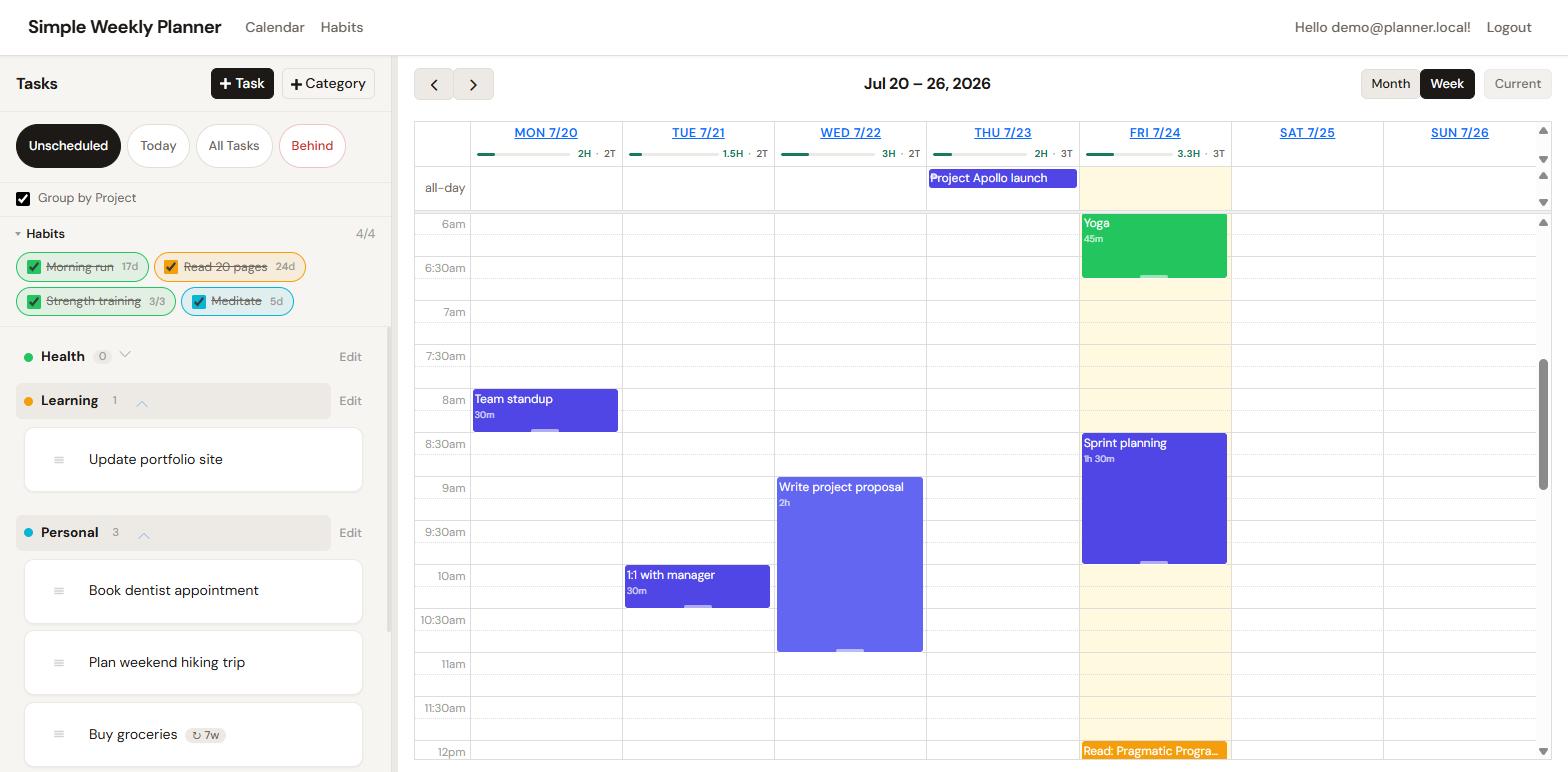
The task list grouped under colour-coded category headings such as Health, Learning, Personal and Work.

Group tasks by project, each with its own colour.

03 / Organisation Categories

Colour-coded, and built to nest.

Give every category a colour and, when you need it, a parent, like Work → Project Apollo. Those colours flow onto the calendar, so a glance tells you where your time is going.

  • Hierarchical categories for real projects
  • Pick from a full palette; colours carry to every event
  • Group and filter your list by category in one click
Editing a task
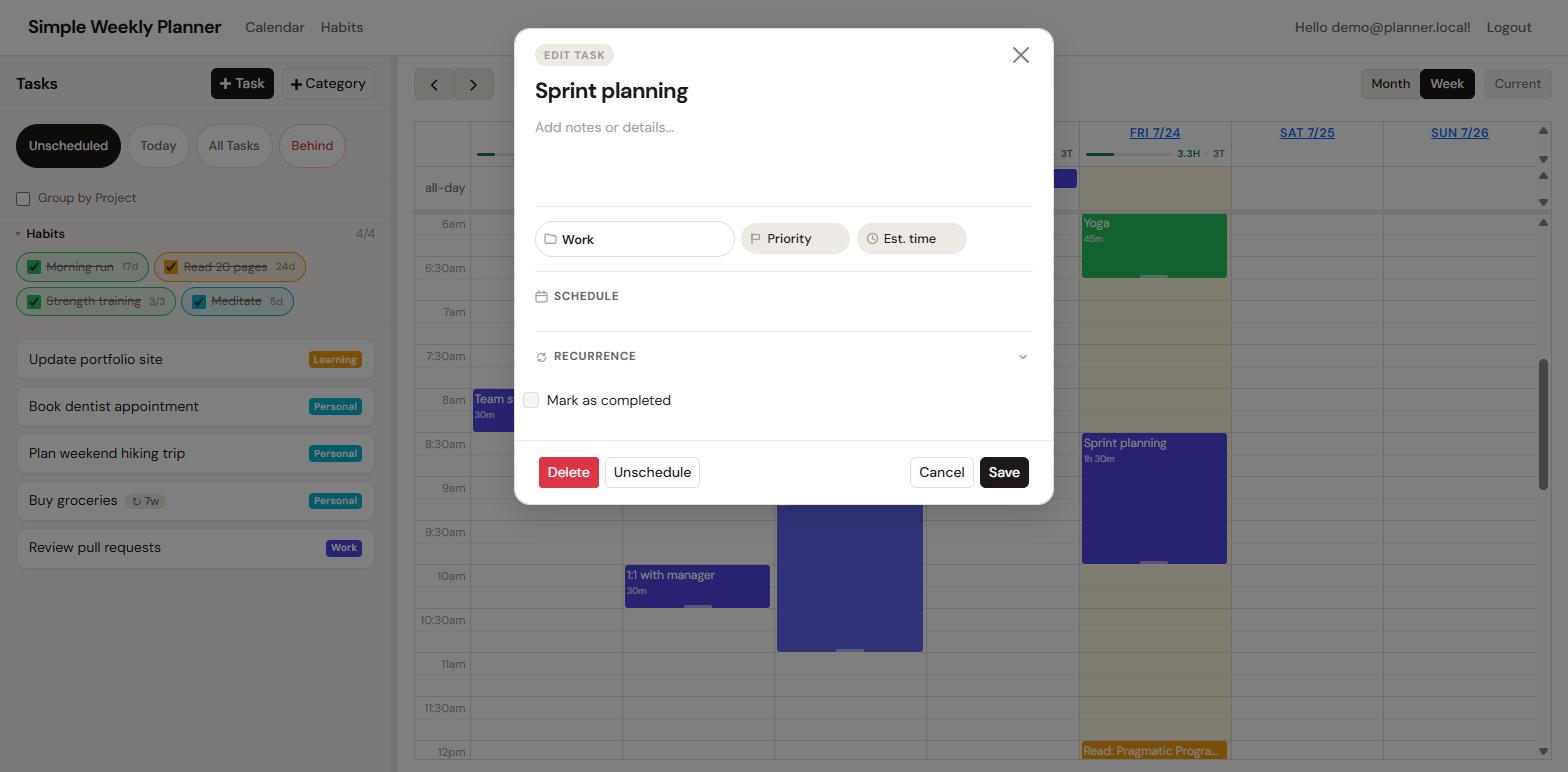
The task editor showing title, notes, category, schedule, recurrence, a mark-as-completed toggle, and delete options.

Everything about a task, in one tidy panel.

04 / Details One panel, every action

Edit, complete, repeat.

Click any task, in the list or on the calendar, to open one clean panel. Rename it, add notes, recategorise, mark it done, or set it to recur. Completed tasks fade out with a satisfying strike-through.

  • Recurring tasks that recreate themselves when done
  • Notes, category and schedule, all in one place
  • Complete or delete with a single, clear tap
Habits

Build the streak.
Watch it grow.

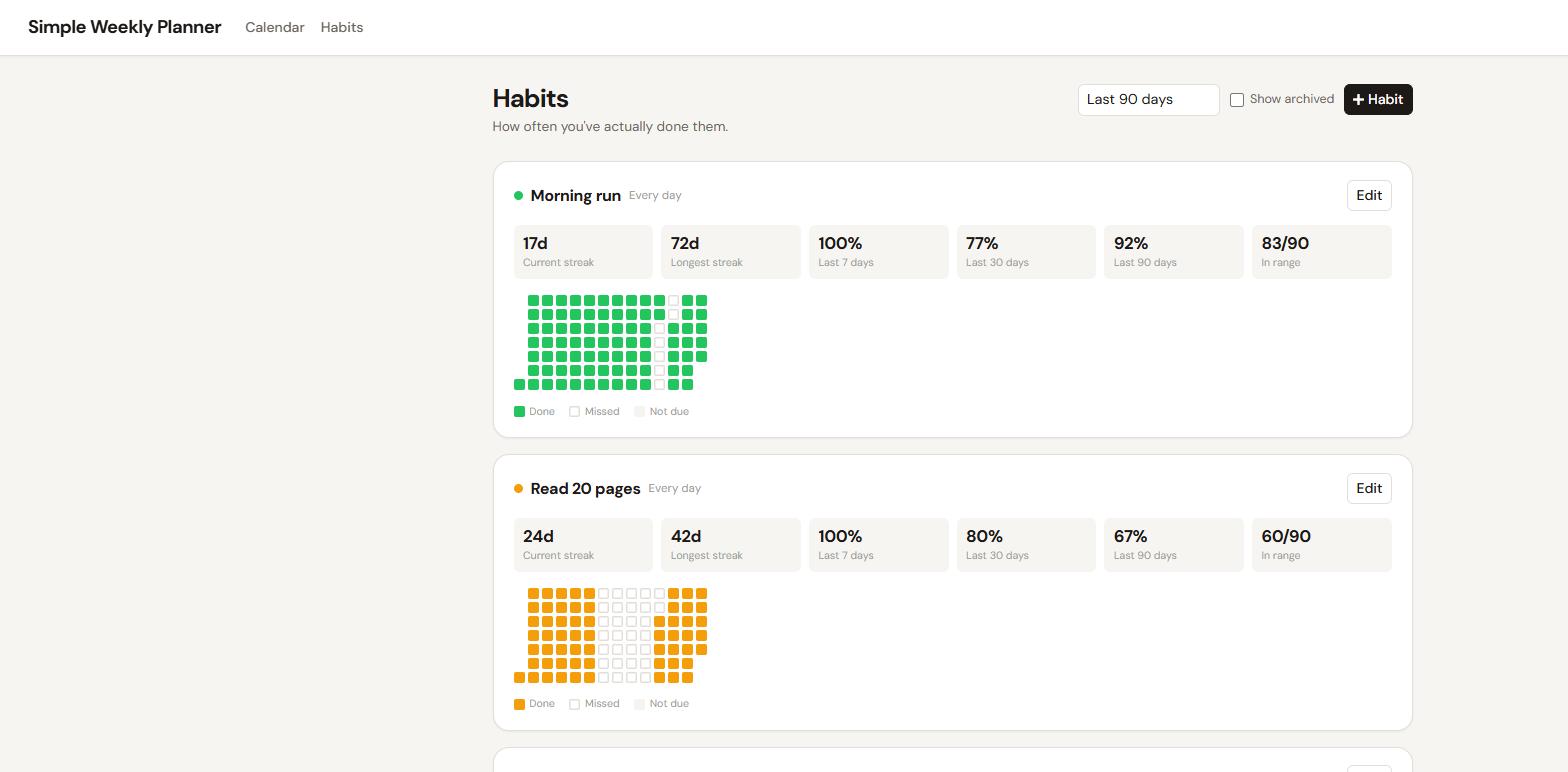
A planner tracks what you'll do. A habit tracker remembers what you actually did. Simple Weekly Planner does both. Tick today's habits from the planner, then watch streaks, weekly targets and a GitHub-style heatmap fill in over time.

17Day streak
72Longest run
92%90-day rate
Habits: streaks & heatmaps
The Habits page showing current and longest streaks, 7/30/90-day completion rates, and colour-coded contribution heatmaps for each habit.
Reports

Where did the
week actually go?

Every event you schedule is time you spent. The Time report adds it all up by category, so the gap between the week you planned and the week you lived stops being a guess.

Child categories roll up into their parents, so Project Apollo and Research both count towards Deep work. Expand any row to see the split.

  • Time per category over the last week, month, quarter or year
  • Nested categories totalled into their parents automatically
  • A trend chart by day, week or month to spot the drift

Your categories, totalled and rolled up.

Get going in minutes

Three steps to a planned week.

No onboarding tour, no setup wizard. Make an account and start dragging.

1

Capture your tasks

Jot everything into your to-do list and sort it into colour-coded categories. Set anything routine to recur.

2

Drag to schedule

Drop tasks onto the week wherever they fit, then resize each block to match the time it truly takes.

3

Do it & keep the streak

Tick tasks off, mark habits done, and let recurring work reappear on its own. Momentum, made visible.

Free forever

Every feature, no tiers, no paywall. Plan as much as you like.

Your data, yours

Secure sign-in and strict per-user isolation. Only you see your week.

Works everywhere

A responsive layout that feels at home on desktop, tablet and phone.

Instant saving

Every drag, drop and edit is saved the moment it happens. Never lose a plan.

Your best week starts on a blank grid.

Make a free account and drag your first task onto the calendar in under a minute.